Database policy
Fidwyn brokers database sessions through a proxy that speaks the wire protocol, so you can allow, block, or audit individual statements and mask returned columns, with a verdict logged on every query.
- A database target onboarded in Inventory and reachable through the Fidwyn proxy.
- The database account vaulted under Master Credentials so the proxy can inject it.
- A supported engine: MS SQL Server, PostgreSQL, MySQL or Oracle.
- Users or PAM groups to scope rules to (see Administration).
1 · Route the database through the proxy 
Statement control only works when sessions pass through Fidwyn. Onboard the database in Inventory as a database target, vault its account under Master Credentials, and have clients connect to the Fidwyn proxy endpoint rather than the engine directly. The proxy speaks the native wire protocol, injects the vaulted credential, and evaluates every statement against your policy before it reaches the engine.
2 · Write statement-level rules 
Under Database Policy, rules match on the SQL verb, the target object, and the identity or PAM group running the statement, and resolve to one of three verdicts:
- Allow: the statement reaches the engine.
- Block: the statement is rejected before it reaches the engine; the client sees an error.
- Audit: the statement is allowed but flagged for review.
# example intent (configured in the UI, shown here for clarity)
block  verb=DROP,TRUNCATE            # no destructive DDL
audit  verb=SELECT table=customers   # watch PII reads
allow  group="DBA-oncall"            # scoped exception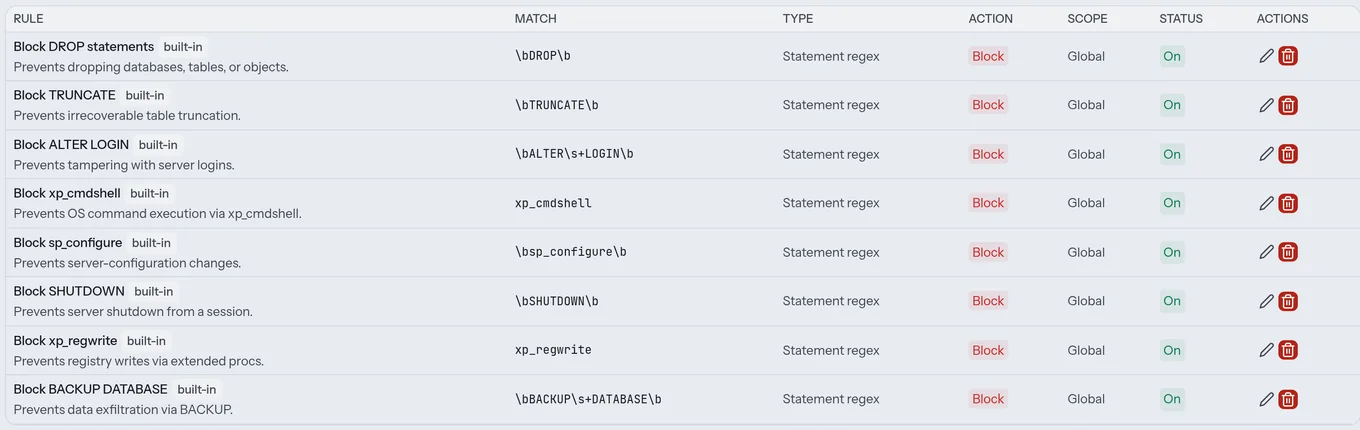
3 · Mask columns inline 
A column can be masked on the way back to the client without changing the query: full mask, partial mask, null-out, or a fixed token. The DBA gets a normal client experience; the sensitive column never leaves the proxy in cleartext.
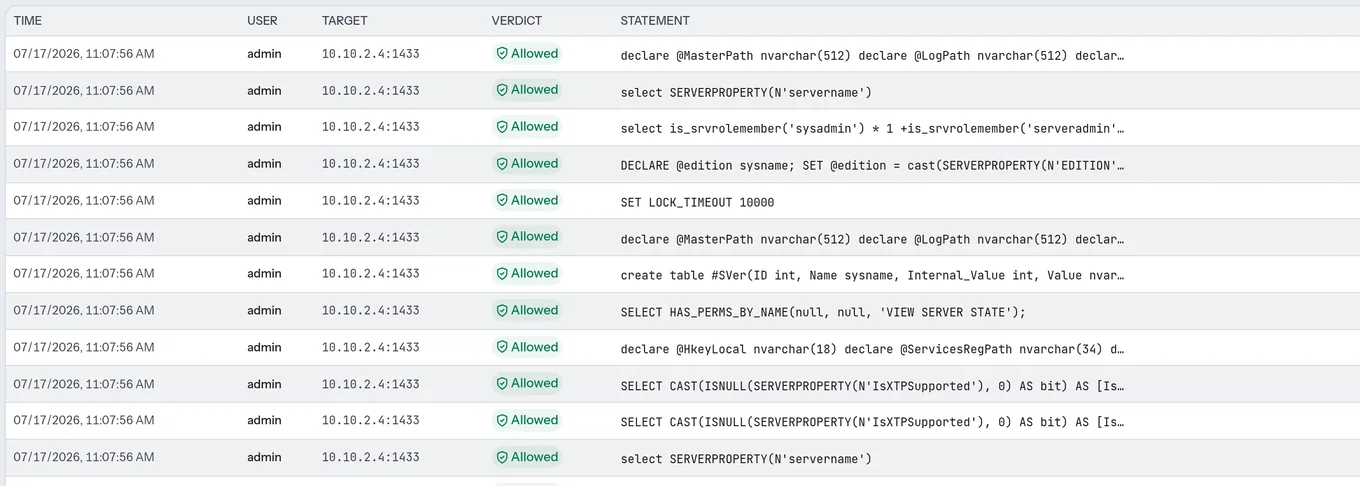
4 · Read the live query log (Database Queries) 
Database Queries logs every statement with its target, the identity that ran it, and the verdict the policy assigned, whether allowed, blocked, or audited. This is the record an examiner asks for: not "a DBA connected," but "this exact statement was run, and here is what happened to it."